Flight Sim
New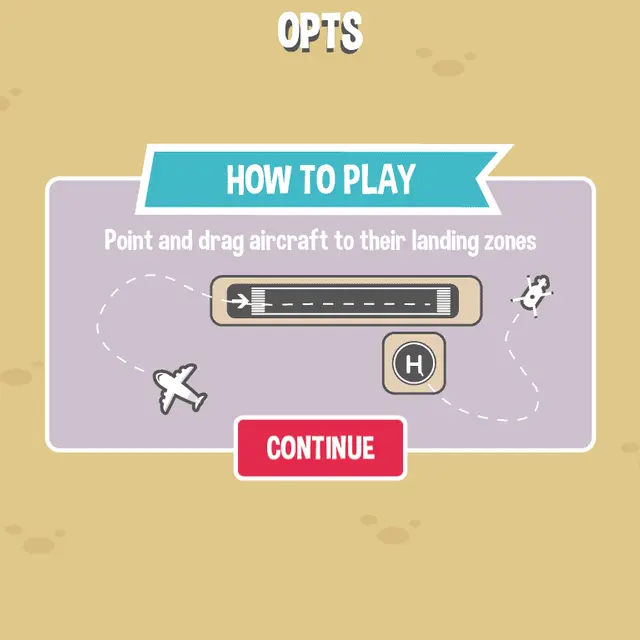
- Genre Skill games
- Players 1
- Session 5 min
- Price Free
- Updated
Flight Sim puts you in the control tower. Aircraft drift in from the edges of the map and each needs a path to its own landing zone: planes to the runway, helicopters to the helipad. You draw that path by dragging from the aircraft, and it follows the line you leave behind. Two aircraft meeting at the same spot end the level. Twelve levels raise the number of arrivals, landing zones and traffic speed; every landing is worth a hundred points. Hosted here under licence from its author, demonisblack.
| Mouse / touch | Press on an aircraft and drag to draw its route; release to send it on its way |
|---|---|
| Gear icon | Sound and the option to leave the level |
How to play Flight Sim
- Press Begin and pick the first level. The short guide says it all: point and drag aircraft to their landing zones.
- Drag from a plane to the runway arrow, or from a helicopter to the H pad. The path can loop and bend, and the aircraft follows it exactly.
- Finish the line inside the zone and the game draws the final approach for you.
- Two aircraft touching is a crash and the level restarts. Land the number shown in the top left corner to unlock the next level.
Tips
- Draw long loops for the fast aircraft so they arrive after the slow ones instead of racing them to the same strip.
- Redraw a path any time by dragging from the aircraft again; the old line is dropped.
Questions about Flight Sim
Do planes and helicopters land in the same place?
No. Planes need the runway and helicopters need the pad marked H. Guiding one to the wrong zone does nothing.
Is progress saved?
Yes, unlocked levels are stored in your browser on this device.